A professional website audit report in one prompt
Built for web agencies, freelancers, CRO consultants and Shopify experts who pitch clients, and for store owners who want to know why visitors don't buy.
📸 Annotated screenshots
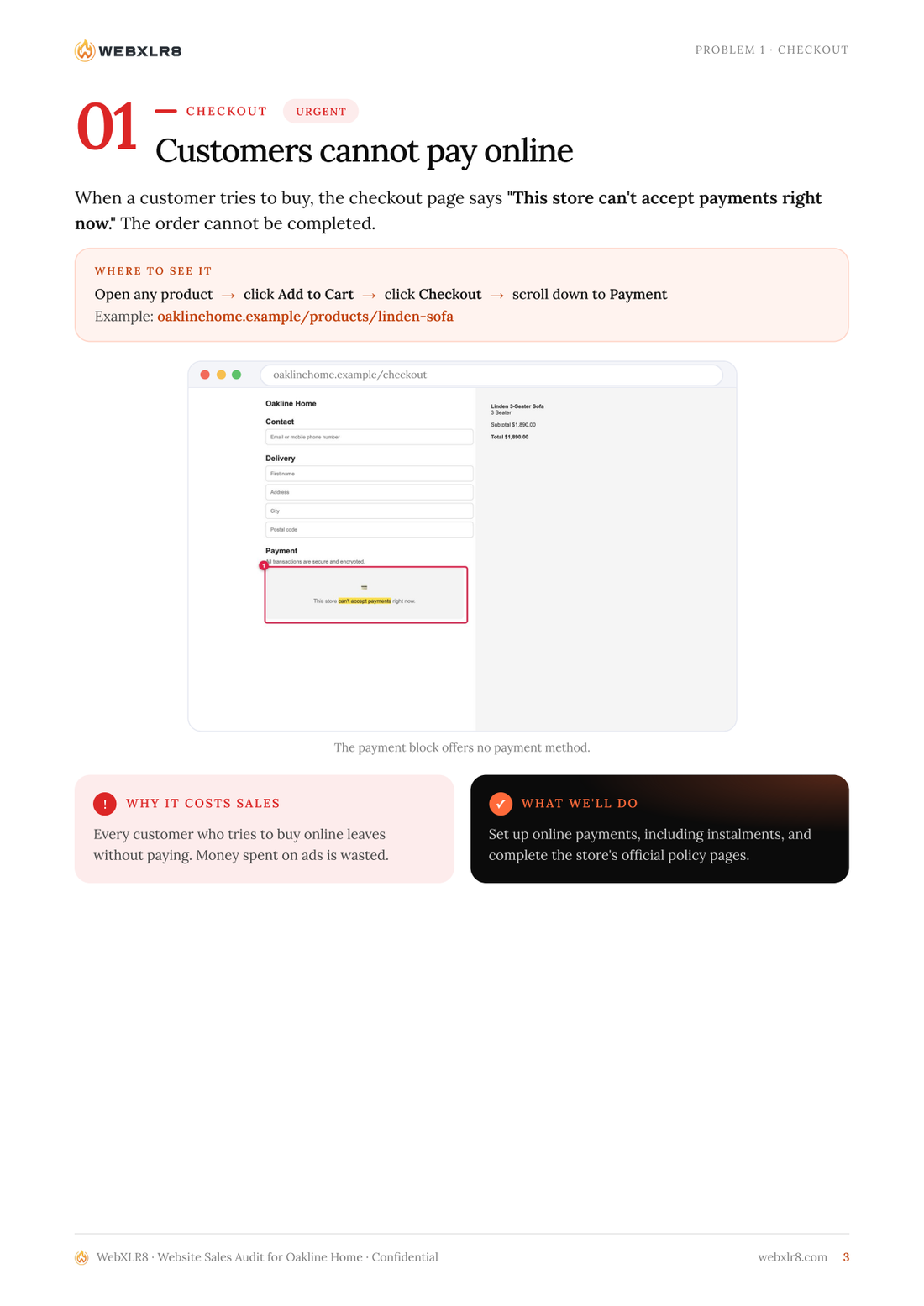
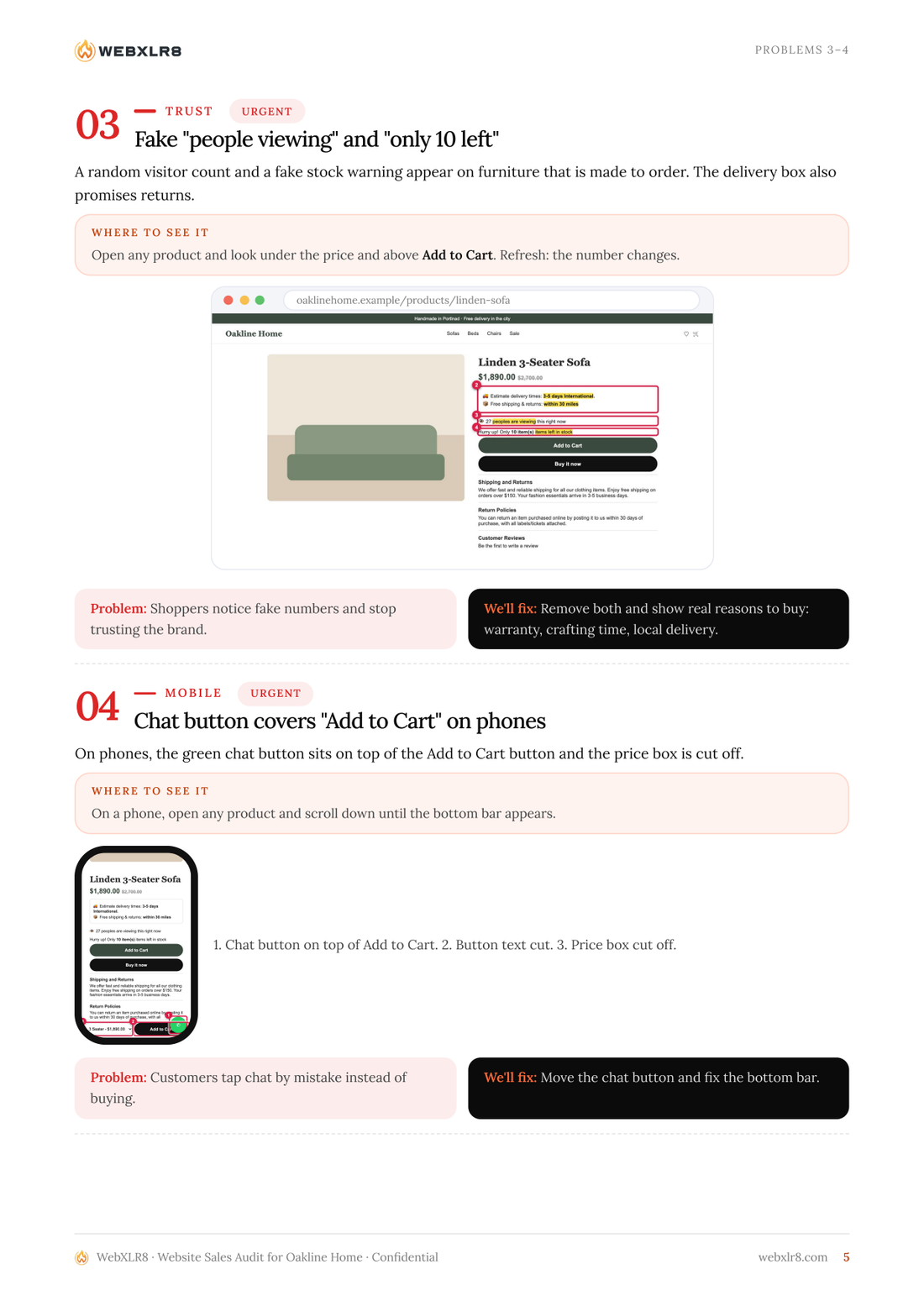
Numbered red boxes and highlighted text show exactly what's wrong, on desktop and iPhone.
🧭 "Where to see it"
Click paths and links for every problem, so the client can reproduce it in 30 seconds.
🏷️ White-label PDF
Your agency's logo, colours and contacts, with the client's own font and logo.
✅ Verified findings
Every issue is re-checked at full resolution and measured before it goes in the report.
🗣️ Plain language
What's wrong, why it costs sales, what you'll do. Written for business owners, not developers.
🗓️ 30-day plan + "Why us"
Ends with a fix plan and a page that sells your services.
What it checks
A conversion rate optimization (CRO) and UX checklist built from real e-commerce audits. Works with Shopify, WooCommerce, WordPress, Wix, Squarespace, Webflow and custom sites.
Checkout & payments
Stores that can't take payments, broken carts, missing policy pages.
Template leftovers
Theme demo text ("clothing items", "$150 free shipping", Lorem ipsum) on live pages.
Dark patterns & trust
Fake "people viewing" counters, fake stock warnings, no reviews, empty testimonials.
Mobile UX bugs
Chat buttons covering Add to Cart, cut-off prices, oversized banners.
Broken features
Wishlist 404s, popups cut off, blogs that don't open, tracking that doesn't track.
Findability
Titles, meta descriptions, H1s, page speed (LCP), analytics and pixel tags.
How it works
- Brand. Reads the client's fonts, colours, logo and product feed.
- Crawl. Screenshots every page on desktop and mobile with automatic checks.
- Verify. Claude reviews the pages, tests the buying journey and re-checks every finding.
- Report. Annotated evidence goes into a branded, print-ready PDF.
Sample report
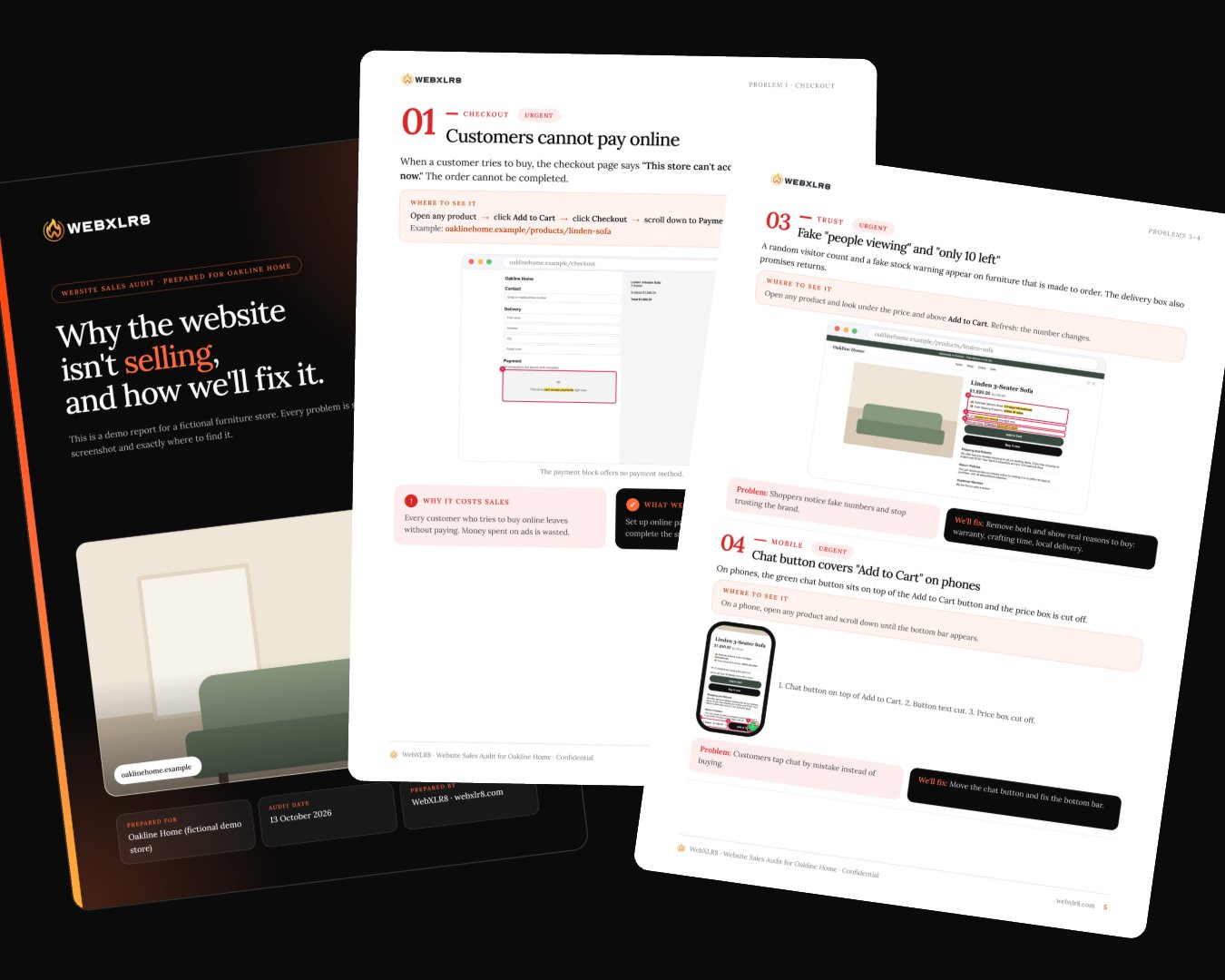
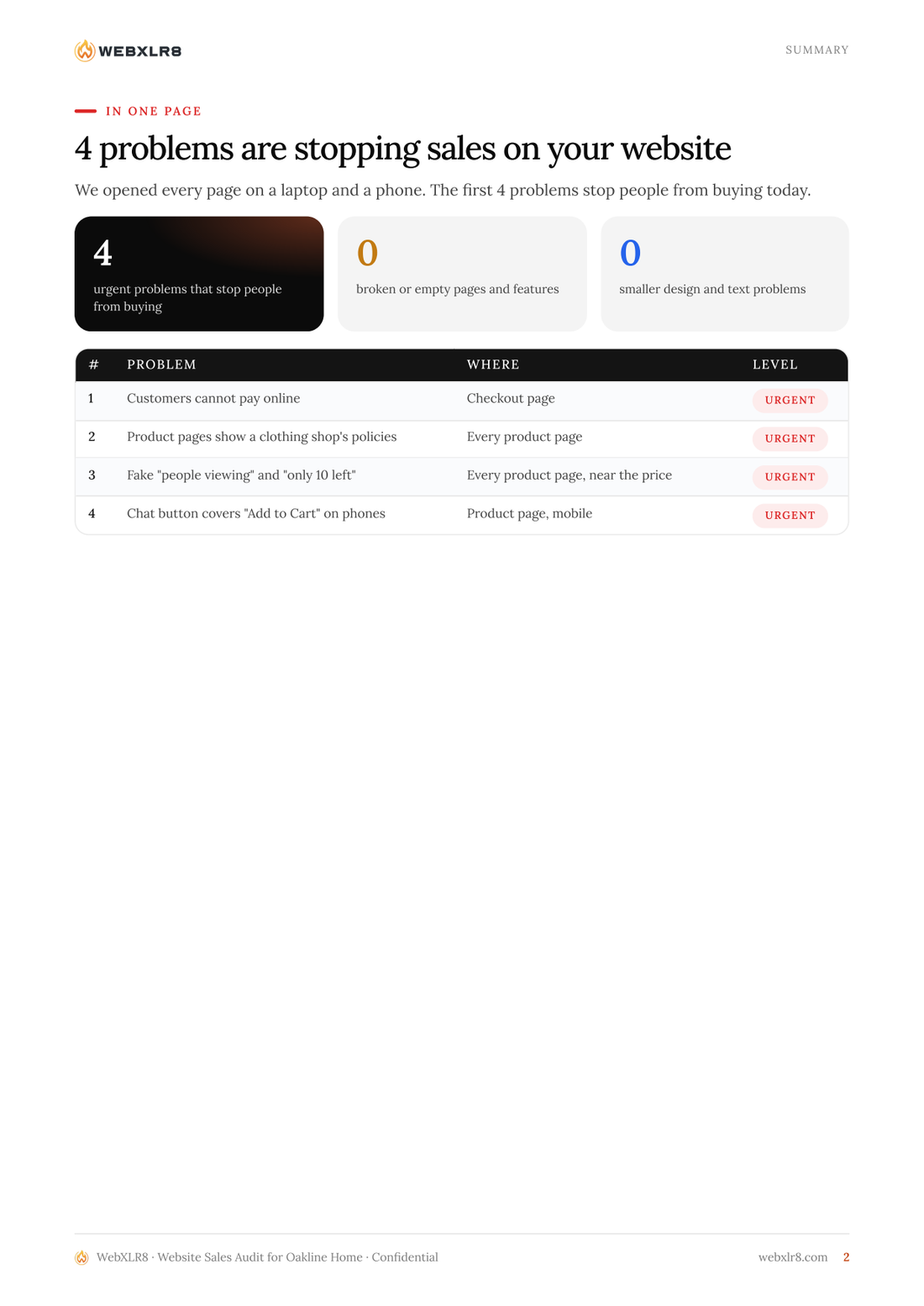
Pages from the sample report for Oakline Home, a fictional furniture store. Download the full PDF.
Install in one minute
Claude Code (also works in Claude.ai and the Claude desktop app: upload the repo ZIP under Settings → Capabilities → Skills).
git clone https://github.com/webxlr8/website-sales-audit ~/.claude/skills/website-sales-audit
pip install playwright pillow pypdfium2
python3 -m playwright install chromium
Then just ask: "Audit https://example-store.com and make a client report showing everything that's hurting sales."
FAQ
Is it free?
Yes. It's MIT licensed and can be used for paid client audits.
Does it place orders or fill in forms?
No. Checkout is tested only up to the payment step. No personal or payment details are entered.
Can I white-label the report?
Yes. Set your agency name, logos, colours and contacts once in ~/.config/website-sales-audit/agency.json.
Is it an SEO audit tool?
It's a sales and conversion audit. It covers SEO basics (titles, meta descriptions, H1s, speed, tracking) but focuses on what stops visitors from buying.
Which AI does it need?
It's a Claude Agent Skill. The scripts are plain Python and Playwright, so other agents that read SKILL.md can use them too.